 Nyxo
NyxoFree · No sign-up · Full resolution
Remove the background from any picture
Upload a photo and get a clean cut-out with a transparent background, ready for shops, slides and designs.
Remove a background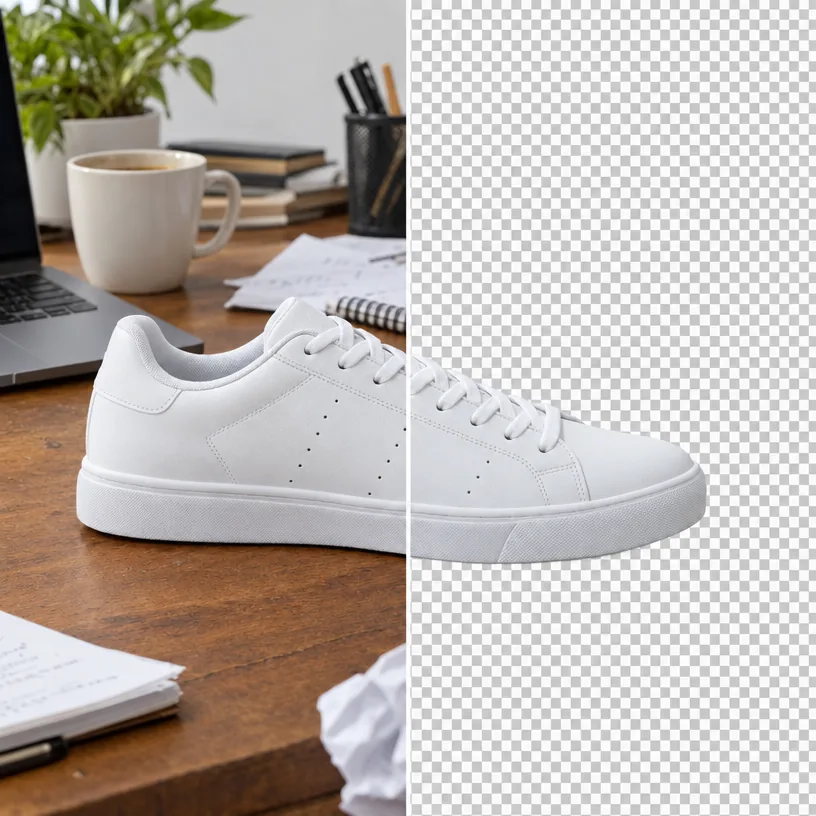
How it works
- Upload your picture.
- Click Remove background.
- Download the transparent PNG.
Why use Nyxo Background Remover
- Clean edges around hair, fur and fine details.
- Run it on up to 10 pictures at once.
- Free, with no sign-up and no watermark.
- Full-resolution results at the highest quality.
- Private: your pictures stay in your browser unless you share them.
- Works on phones, tablets and computers.
Questions
What format is the result?
A PNG with a fully transparent background.
Can I remove backgrounds from many pictures?
Yes, choose several pictures and Nyxo processes up to 10 at once.