Free to try Powered by Claude Opus 5.5 from Anthropic

One AI.
Two places to work.

Chat, research and work with files for free in your browser. Or run Claude Code on Windows with a prepaid passcode and live usage tracking. No account needed.

  • No sign-up
  • Files up to 500 MB
  • English, French, Arabic
nyxo.space/app
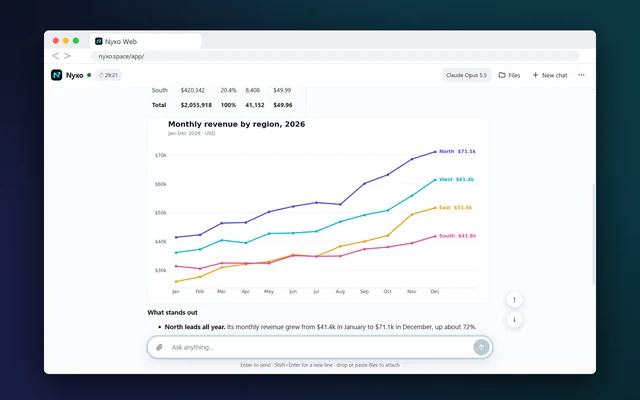
Nyxo Web answering with a table and a chart
NSummarize this report and chart the totals
Nyxo Code ● live
Usage left$18.40
Requests128
Opus 5.5Claude model in both apps
20files per message
500 MBper file
up to 60%off list price on Nyxo Code
Two products, one AI

Pick how you want to work

A free private chat in any browser, or a paid coding agent on your Windows PC.

A private AI chat that works with your files

Open it in any browser. Ask, upload, run code and edit images in one private chat that is deleted when you close it.

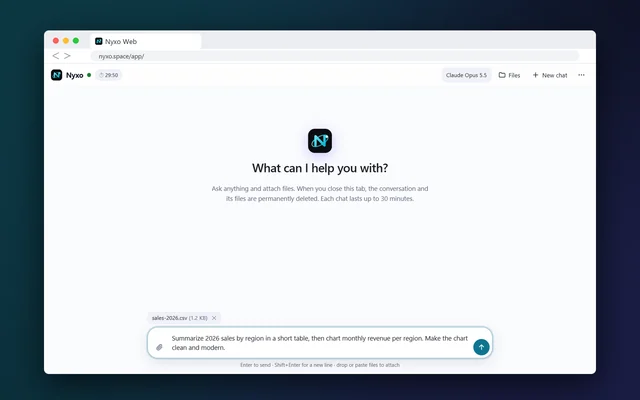
  • Ask anything

    Writing, research, maths and code, with live web search when it needs fresh facts.

  • Attach almost anything

    Up to 20 files per message, up to 500 MB each: documents, sheets, images, code.

  • Run code safely

    A private sandbox runs your code. HTML pages open in a safe live preview.

  • See results in place

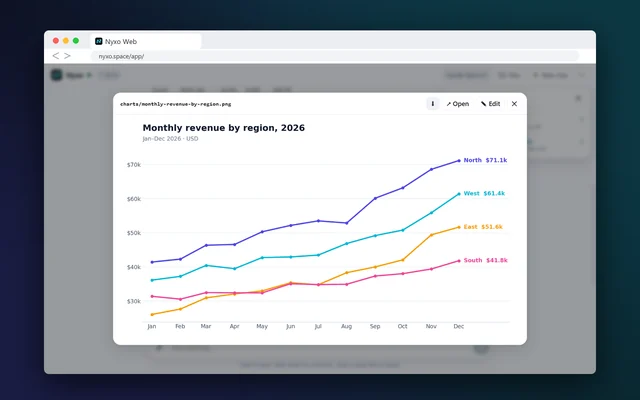
    Tables, PDFs, charts, diagrams and maths render right inside the chat.

  • Built-in image tools

    Crop, resize, flip and remove backgrounds, then save a copy.

  • Take your work with you

    Save the whole chat and its files as one .zip before you leave.

  • Live web search

    Ask about today and get answers with links to sources.

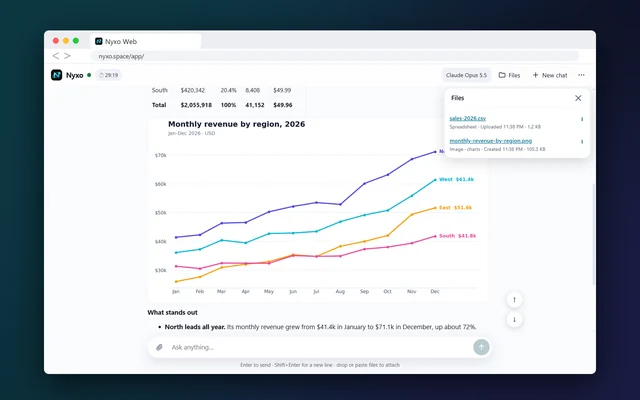
  • A files panel per chat

    Preview, edit and download every file in one place.

  • It sees your images

    Share a photo or screenshot and ask about it.

  • Stop any time

    Stop a reply, keep what was written, edit or try again.

  • Your chat in numbers

    Messages, time, words, code runs and workspace size.

  • Your language, your theme

    English, French or Arabic, in light or dark.

Claude Code on your Windows desktop

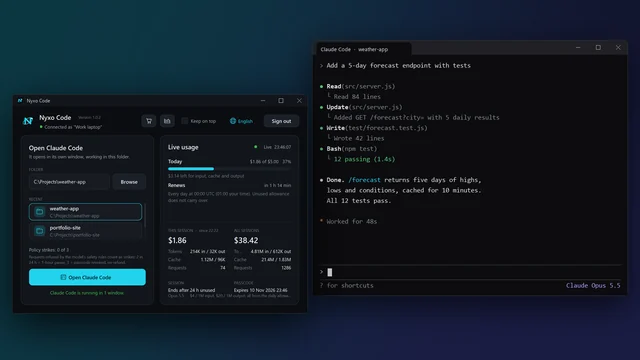
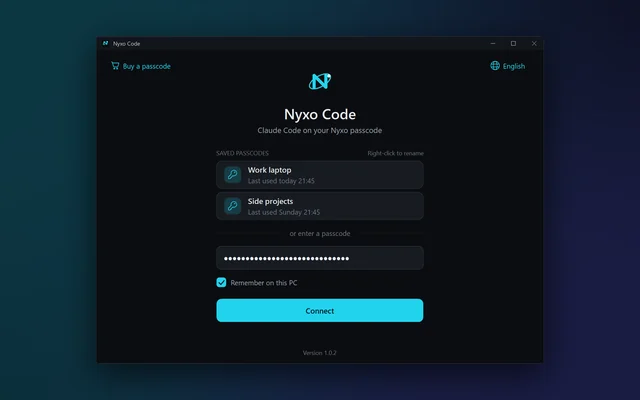
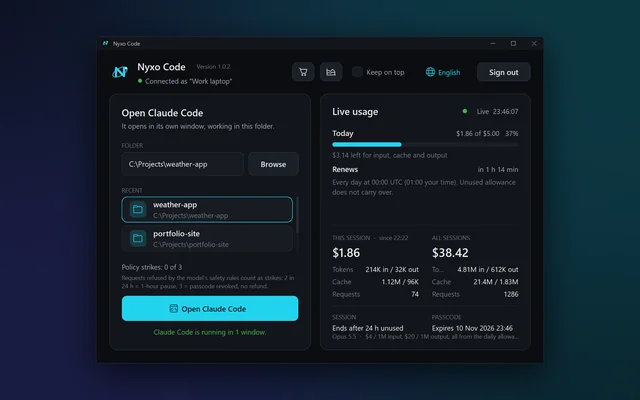
A small native app that signs you in with a passcode, starts Claude Code on your project and shows your usage live.

  • Passcode sign-in

    No account or password. Enter your passcode once.

  • Works with Claude Code

    Starts Claude Code on your project, powered by Opus 5.5.

  • Live usage and cost

    Watch tokens, cost and budget left update as you work.

  • Budget alerts

    Sound, taskbar flash and a clear warning at 80% and 100%.

  • Pick a folder and start

    Each project opens in its own terminal window.

  • Light and native

    One small .exe of about 270 KB. No installer, no admin rights.

  • Many windows at once

    Open several folders side by side.

  • Keep on top

    Pin the app so your usage stays in view.

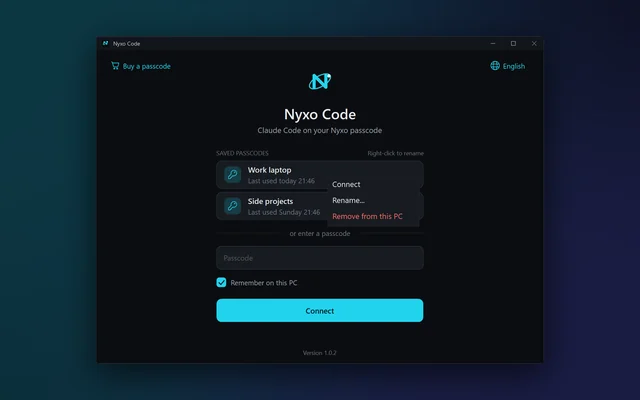
  • Saved passcodes

    Keep several passcodes on one PC, encrypted by Windows.

  • Safe to close

    Quitting asks first while an agent is still open.

  • No time limit

    Work as long as you need. A session ends when you sign out, or after 24 hours unused.

  • One passcode, one PC

    A passcode is locked to the first PC that signs in.

Watch · real recordings

See it in action

Real recordings with English narration. Nothing is staged, only the long waits are sped up.

Nyxo Web tour · getting started, web search, files and charts, building pages, images and more.

Try Nyxo Web free
Nyxo Code in 4 steps

From payment to coding in minutes

Install Claude Code

Nyxo Code works with Claude Code. How to install

Get a passcode

Pick an amount and pay with USDT. Your passcode appears once the payment is confirmed.

Sign in, pick a folder

Open Nyxo Code, enter the passcode and choose your project.

Code and watch usage

Claude Code reads, edits and runs your project while the app tracks every cent.

Private by design

No account and no chat history kept on a profile.

  • Every chat runs in its own isolated space
  • Chats and files are deleted when the chat ends
  • Save your work as a .zip before you leave
  • Messages are processed by AI and service providers to produce replies

Read every line of the app

The full Nyxo Code source is public: eight short C# files you can read or build yourself.

  • Connects only to nyxo.space
  • No installer, no admin rights, no telemetry
Check your download (SHA-256)
2893C03CACF0A9439ABA167DE714D8005819DCD021BB57A30087D31C38593377

Not code-signed yet, so Windows may show a warning. Choose More info, then Run anyway. Needs Windows 10 or 11.

Pricing

Pay for what you use

Nyxo Web is free. For Nyxo Code, pick any amount once, or a monthly plan for daily work.

Pay as you go
You get
$25
You pay
$12
52% off list price
About 200 taskscoding tasks, based on typical use
About 9.1M tokensestimate, depends on how you work
  • One balance for everything
  • Valid for 12 months
  • Top up the same passcode
  • Works on one PC
Get $25 of usage for $12

Coding every day? Monthly plans give you more →

Coming soon
Try Nyxo Code
$0
  • $1 of usage for 2 hours
  • About 8 coding tasks
  • No payment needed
  • One trial per email and device

Comet

$12/ 30 days

$5 of usage every day

  • Up to 1.25M input or 250K output tokens a day
  • Refills daily at 00:00 UTC
  • No auto-renewal
  • Works on one PC

Up to $150 of usage in 30 days

1 spot left

Choose Comet
Recommended

Quasar

$25/ 30 days

$12 of usage every day

  • Up to 3M input or 600K output tokens a day
  • Refills daily at 00:00 UTC
  • No auto-renewal
  • Works on one PC

Up to $360 of usage in 30 days

1 spot left

Choose Quasar

Galaxy

$59/ 30 days

$35 of usage every day

  • Up to 8.75M input or 1.75M output tokens a day
  • Refills daily at 00:00 UTC
  • No auto-renewal
  • Works on one PC

Up to $1,050 of usage in 30 days

1 spot left

Choose Galaxy

One daily allowance covers input, cache and output. Unused allowance does not carry over.

Compare prices and see how usage is billed
UsageAnthropic APIAmazon BedrockGoogle Vertex AINyxo CodeYou save
$5 of usage$5$5$5$2.7545% off
$25 of usage$25$25$25$1252% off
$50 of usage$50$50$50$21.5057% off
$100 of usage$100$100$100$4060% off

Based on published list prices for Claude Opus 5.5. Every request is metered at the published rates below, the same ones these providers use. You simply pay less for the balance.

Usage typeRate per 1M tokensWhat it is
Input$4New messages, files and instructions
Cache read$0.20Context the agent rereads (95% cheaper)
Cache write$5 / $8Context saved for 5 minutes / 1 hour
Output$20Everything the agent writes

Usage policy: requests refused by the AI model's safety rules count as strikes. 2nd within 24 hours pauses the passcode for 1 hour, 3rd revokes it with no refund. Read the policy

Checkout

Get your passcode

Pay with USDT on BNB Smart Chain (BEP20). No account or contact details needed.

Your order

Plan
Pay as you go
Usage
$25 of usage
Valid
12 months
Network
USDT · BNB Smart Chain
Amount to send12.00USDT

Send USDT on BNB Smart Chain (BEP20) only. Another token or network can lead to permanent loss.

Name your passcode

A name to help you recognise it later.

  1. You get a USDT address for this order only.
  2. Send the exact amount within 15 minutes.
  3. Your passcode appears once the payment is confirmed.
Questions

Good to know

Do I need an account?

No. Nyxo Web works without an account. Nyxo Code uses a passcode instead of an account and password.

Which AI model does Nyxo use?

Claude Opus 5.5 by Anthropic. Nyxo Web and Nyxo Code both use it.

Do I need Claude Code?

Yes, for Nyxo Code. It works with Claude Code, the coding agent from Anthropic, which must be installed on your PC.

What happens to my chats and files?

A web chat and its files are permanently deleted when you close the tab, start a new chat or the chat ends. Save it as a .zip first to keep it.

Why is there sometimes a waiting line?

Nyxo Web runs one chat at a time. Others wait in a short line, and your chat starts on its own when it is your turn. Each chat lasts up to 15 minutes, and each person can start one chat every 12 hours.

What happens when my usage runs out?

New requests stop and your files are not touched. Top up the same passcode at any time. Monthly plans refill every day at 00:00 UTC.

Does pay-as-you-go usage expire?

It stays valid for 12 months from payment. Monthly plans last 30 days, with a fresh allowance each day.

How do I pay and get my passcode?

Choose an amount or plan and name your passcode. You get a USDT address on BNB Smart Chain (BEP20) for that order only. Your passcode appears as soon as the payment is confirmed.

Can I use one passcode on more than one PC?

No. Each passcode works on one PC only. If you change PCs, ask for the passcode to be moved.

Why do I see a warning when I download the app?

Nyxo Code is not code-signed yet. In the browser, choose Keep. In Windows, choose More info, then Run anyway. You can check the SHA-256 or build it yourself.

What happens if a request is refused?

Requests refused by the AI model's safety rules count as strikes over 24 hours: 1st a warning, 2nd a 1-hour pause, 3rd the passcode is revoked with no refund.

Which files can Nyxo Code see?

Only the project folder you choose. Claude Code asks for approval before running commands or making changes, depending on your settings.

Start in your browser.
Continue on your desktop.

Free to try. No account needed.

PricingTry free